Registering for FMGE is not difficult. But it is one of those steps where small mistakes can create unnecessary problems later. Every session, candidates upload incorrect images, miss important instructions, or wait until the last day to complete their application. These are avoidable mistakes, but only if you understand the process before the window opens.
The registration process, in short
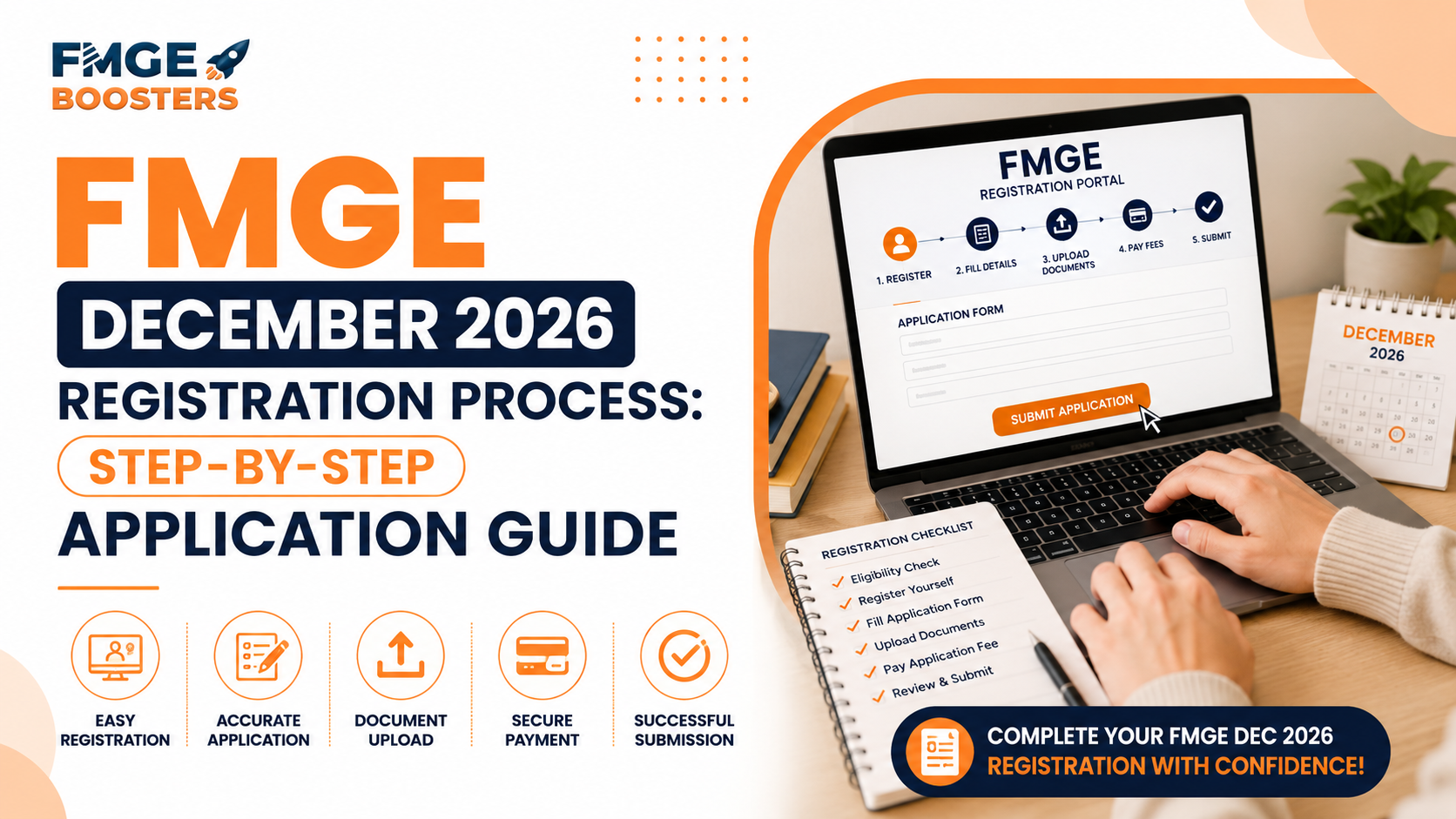
FMGE December 2026 registration is done online on the NBEMS portal: create your profile, fill the application form, upload your photograph, signature and thumb impression to the exact specifications, pay the fee, then submit and save the confirmation. Keep your documents ready in advance, use your own active email and mobile number, and apply early, since some details cannot be changed later.
If you are planning to appear for the FMGE December 2026 session, this blog explains the registration process step by step, the documents you will need, the common mistakes to avoid, and the important NBEMS instructions you should know before submitting your application.
Before you start your FMGE December 2026 registration
Before you begin filling out the application form, it is worth spending a little time getting everything ready. This can make the registration process much smoother and reduce the chances of running into avoidable issues later.
Start by reading the official Information Bulletin available on the NBEMS official website carefully. It explains the eligibility criteria, registration process, document requirements, image specifications, important instructions, and other details you will need while completing your application. NBEMS also advises candidates to go through the Information Bulletin and the instructions on its official website before starting the online application process.
Next, make sure you meet the eligibility requirements for the examination. There is little point in completing the application if you do not satisfy the prescribed criteria. If you are unsure whether you are eligible, read our detailed guide on FMGE Eligibility Criteria before proceeding.
It is also a good idea to keep all the required documents and information ready before the registration window opens. Looking for documents midway through the application increases the chances of errors and can slow down the process, especially during the last few days of registration when the portal usually sees heavy traffic. Finally, use your own active email ID and mobile number while registering. NBEMS uses these to communicate important updates related to your application, and you will need access to them throughout the process. Once certain details, such as your mobile number and email ID, are submitted, they cannot be changed during the edit window.
Documents you will need before you apply
One of the easiest ways to make the registration process smoother is to keep all the required documents ready before you start filling out the application form. Searching for files midway through can lead to unnecessary delays and increase the chances of uploading the wrong document. While NBEMS will publish the complete list in the official Information Bulletin for the December 2026 session, candidates can expect to keep the following ready based on the previous registration process.
| Document or detail | Why you will need it |
|---|---|
| Valid email ID and mobile number | For registration, login credentials, and official communication from NBEMS. |
| Identity proof | To verify your identity during the application process. |
| Primary Medical Qualification (PMQ) | To establish your eligibility for FMGE. |
| Recent passport-size photo | Must meet the image specifications prescribed by NBEMS. |
| Signature | Required in the prescribed format for uploading. |
| Thumb impression | To be uploaded as per NBEMS guidelines. |
| Aadhaar number (where applicable) | Used for identity authentication as specified by NBEMS. Once submitted, it cannot be changed later. |
Having these documents organised before registration opens can help you complete the application more confidently and avoid unnecessary delays. Before uploading any image, carefully check the prescribed size, dimensions, background requirements, and other specifications mentioned in the Information Bulletin. Images that do not meet the prescribed guidelines may need to be corrected during the edit window, and failure to rectify them can result in the rejection of your application.
FMGE December 2026 registration process: step by step
Once the registration window opens, you will complete the application online through the official NBEMS website. If you are a first-time applicant, you will create an online profile to generate your User ID and password. Existing users can log in using their credentials. Here is how the process typically works.
- Register and create your profile
Begin by registering on the NBEMS portal using your basic details. Once complete, you will receive login credentials to use throughout the application. Enter your email ID and mobile number correctly, as these are used for all official communication.
- Fill in your application form
After logging in, enter your personal details, academic qualifications, and other information requested by NBEMS. Take your time and review every entry carefully before moving to the next step.
- Upload the required documents
Upload your photograph, signature, thumb impression, and any other required documents, following the image specifications in the Information Bulletin. Images that do not meet the guidelines may need correction later, and if not rectified within the timeline, your application may be rejected.
- Pay the examination fee
Once the form is complete and documents are uploaded, you will be directed to pay the examination fee online. Your application is completed only after successful payment, so make sure you receive the payment confirmation before exiting the portal.
- Submit and save your confirmation
Before submitting, review every detail carefully. Once satisfied, submit the form and download or print the confirmation page for your records. Keeping a copy can be useful during later stages of the examination process.
Understanding the edit window and application corrections
Submitting your application does not necessarily mean you have lost the opportunity to correct every mistake. NBEMS usually provides an edit window that allows candidates to modify certain details in their application after the registration process closes. However, it is important to understand that not every detail can be changed.
During the general edit window, candidates can correct most of the information entered in their application. However, details such as Name, Test City, Nationality, Aadhaar Number, Mobile Number, and Email ID cannot be edited once the application has been submitted. NBEMS may also open a final selective edit window for candidates whose uploaded photographs, signatures, or thumb impressions do not meet the prescribed specifications. If you are notified about a deficiency, make sure you upload the corrected images within the given timeline. Failing to rectify image-related issues can lead to the rejection of your application.
It is worth remembering that the edit window is there to help candidates correct genuine mistakes, not to replace careful form filling. Taking a few extra minutes to review your application before submitting it is often much easier than relying on the correction window later.
Common mistakes to avoid during registration
Most application-related issues do not happen because candidates do not understand the process. They happen because of small oversights that could have been avoided with a little extra care. Here are the most common mistakes to watch out for.
Waiting until the last day to apply
Although the registration window remains open for several days, it is always better to complete your application early. This gives you enough time to review your details, resolve any technical issues, and avoid the last-minute rush.
Uploading images that do not meet the prescribed specifications
NBEMS has detailed guidelines for uploading your photograph, signature, and thumb impression. Images that do not meet these specifications may be flagged during scrutiny, and if they are not corrected within the prescribed timeline, your application can be rejected.
Entering important details incorrectly
Before submitting, double-check details such as your name, Aadhaar number (where applicable), email ID, and mobile number. Some of these cannot be changed during the edit window, so correcting them later may not be possible.
Ignoring official instructions
Many candidates rely on social media posts or unofficial videos while filling out the application. However, the Information Bulletin and the official NBEMS website remain the most reliable sources for the latest instructions and updates. Reading them carefully before applying can help you avoid unnecessary mistakes.
A few extra minutes spent reviewing your application can save you from avoidable complications later. Before you click submit, go through every detail once more to make sure your application is complete and accurate.
What happens after you submit your application?
Submitting your application is an important milestone, but it is not the final step in the FMGE process. Over the next few weeks, NBEMS will release important updates that every candidate should track. If an edit window is announced, use it to correct any eligible details. Candidates informed about deficiencies in their uploaded images should also make corrections within the prescribed timeline. Missing these deadlines can affect the status of your application.
Once the application process is complete, NBEMS will issue the admit card for eligible candidates. Before the examination, carefully verify the details on your admit card and report any discrepancies through the prescribed channels if required. From there, the focus shifts entirely to your preparation. By completing registration early and keeping track of official announcements, you can spend the remaining time revising instead of worrying about administrative formalities. If you are appearing for FMGE for the first time and want to understand the examination in more detail, read our guide on What Is FMGE? It covers the exam pattern, qualifying criteria, and everything you need to know before exam day.
Conclusion
The FMGE registration process is straightforward, but it requires careful attention at every step. Taking the time to understand the application process, keeping your documents ready, and following the instructions in the official Information Bulletin can help you avoid unnecessary mistakes and complete your registration with confidence.
If you are planning to appear for the FMGE December 2026 session, do not wait until the registration window opens to start preparing. Use this time to organise your documents, confirm your eligibility, and stay updated with the latest announcements from NBEMS. Once the official notification is released, you will be ready to complete your application without any last-minute stress. Registration is only the beginning; once your application is complete, the focus should shift entirely to preparation. If you are wondering how to structure your revision, read our guide on How to Crack FMGE on Your First Attempt.
Preparing for FMGE involves much more than completing the registration process. FMGE Boosters can help you build a focused preparation strategy with structured study plans, high-yield revision resources, mock tests, and expert mentorship.
Start preparing with FMGE Boosters